AI Agents Need Tools, Not Just Tabs
Orgonaut used through Claude Code and the Orgonaut CLI: live org data, costs, scenarios, and deltas exposed through secure tools instead of browser clicks.
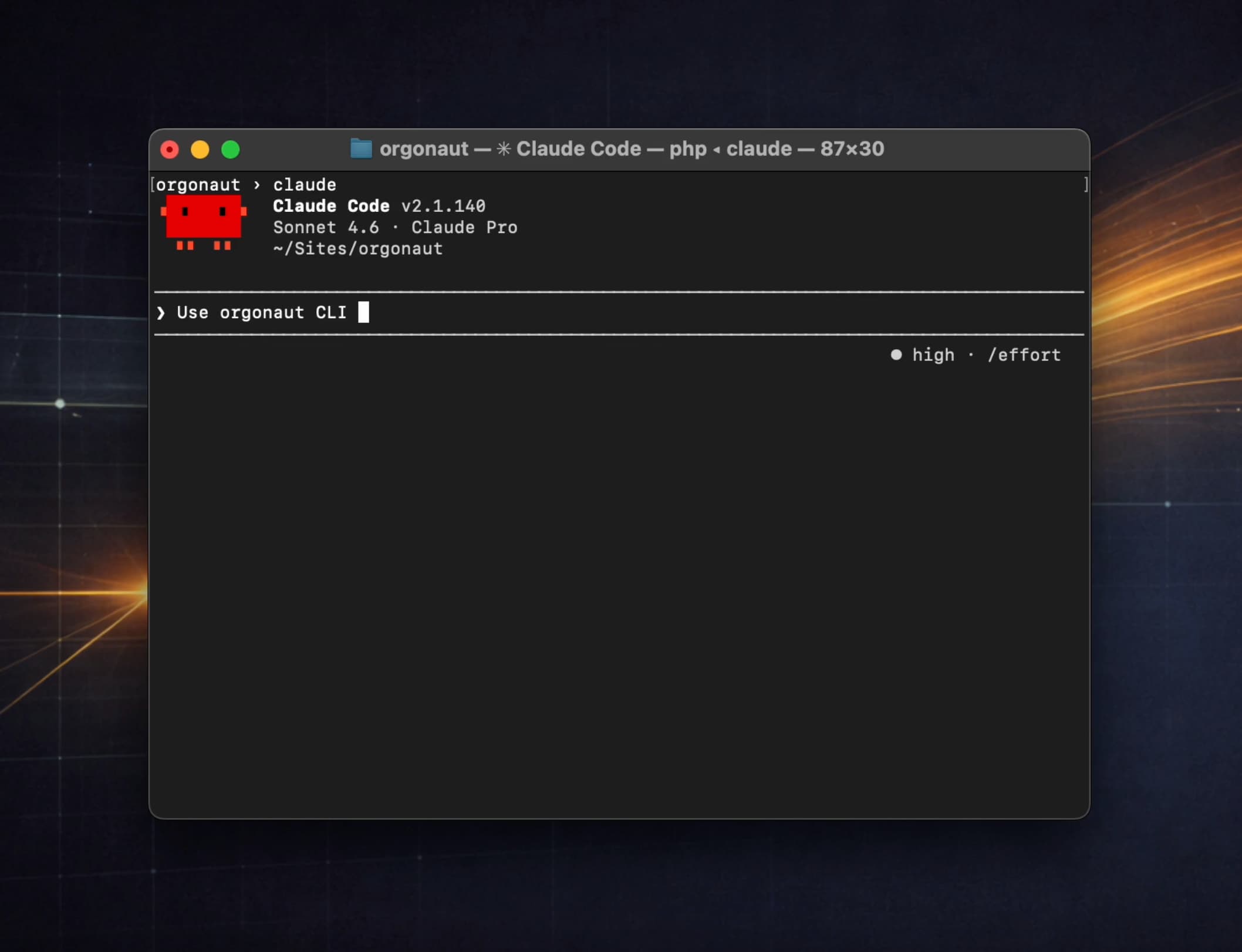
This is Orgonaut used through Claude Code and the Orgonaut CLI.
Not a browser demo.
An AI agent interacting directly with an AI-native SaaS product through tools.
That is where SaaS is going: the system of record remains in the app, but agents operate through secure terminal, API, and protocol interfaces around it.
The CLI connects the agent to the organisation model
The CLI connects Claude to Orgonaut’s model of the organisation:
- Live baseline
- Scenarios
- Teams
- Departments
- People
- Positions
- Costs
- Capacity
Instead of clicking around a UI, the agent can inspect the organisation directly and ask better questions.
This matters because the agent is not working from a screenshot, a stale export, or copied text. It is working through a product surface designed for agents and technical operators.
The same underlying model sits behind the web app, the REST API, MCP, and CLI.
One model. Multiple controlled ways to work with it.
First, ask for the live departments
Claude asks Orgonaut for the live departments.
No screenshots.
No manual export.
No spreadsheet archaeology.
Just structured organisational data coming back through a tool the agent can reason over.
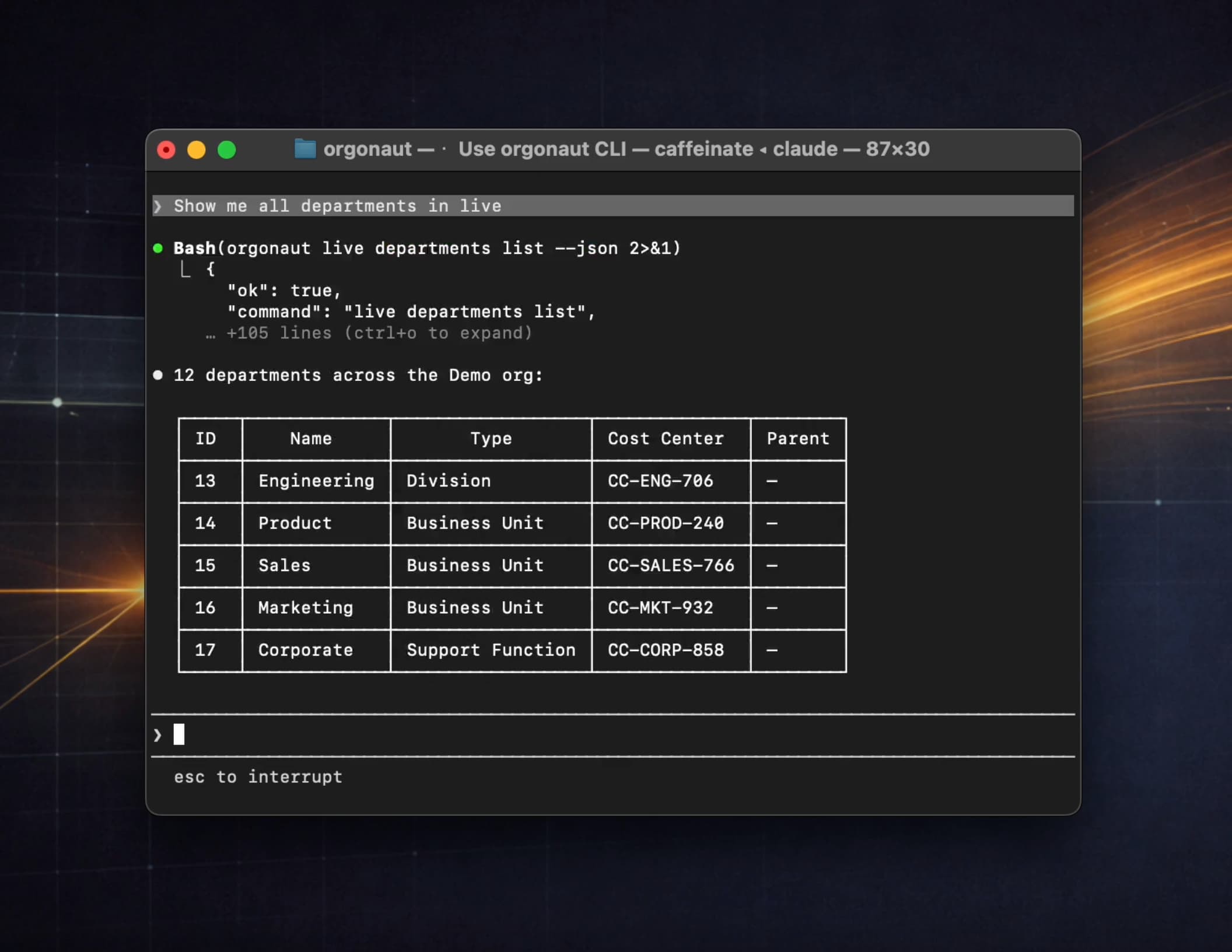
That is much faster than browsing and much less error-prone than copy and paste.
It also changes the quality of the conversation. The agent can ask follow-up questions against the actual model instead of inferring structure from an image or a slide.
Then inspect cost
Next, Claude inspects cost.
This is where org design becomes operational.
Not just “who reports to whom”, but:
- monthly cost
- FTE
- headcount
- tooling cost
- cost per FTE
- department-level visibility
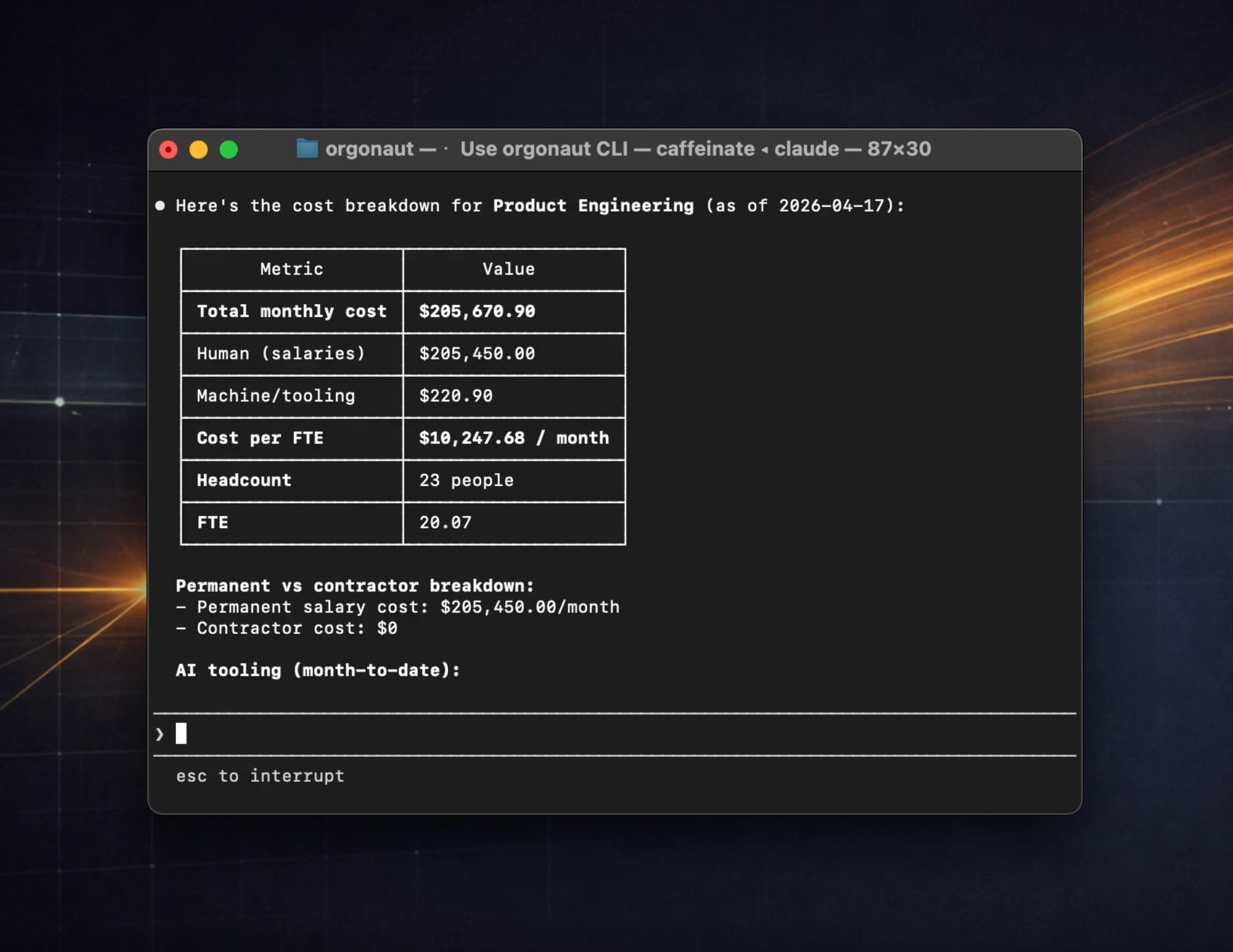
The org chart becomes a model, not a picture.
That is the difference between diagramming an organisation and reasoning about one.
A picture can show reporting lines. A model can show cost, capacity, allocation, scenario impact, and the trade-offs behind a recommendation.
Create a scenario, not a live change
Next, Claude creates a scenario.
That is the key safety pattern.
Agents should not restructure the live organisation directly.
They should work in a sandbox, model options, produce recommendations, and let humans review before anything is committed.
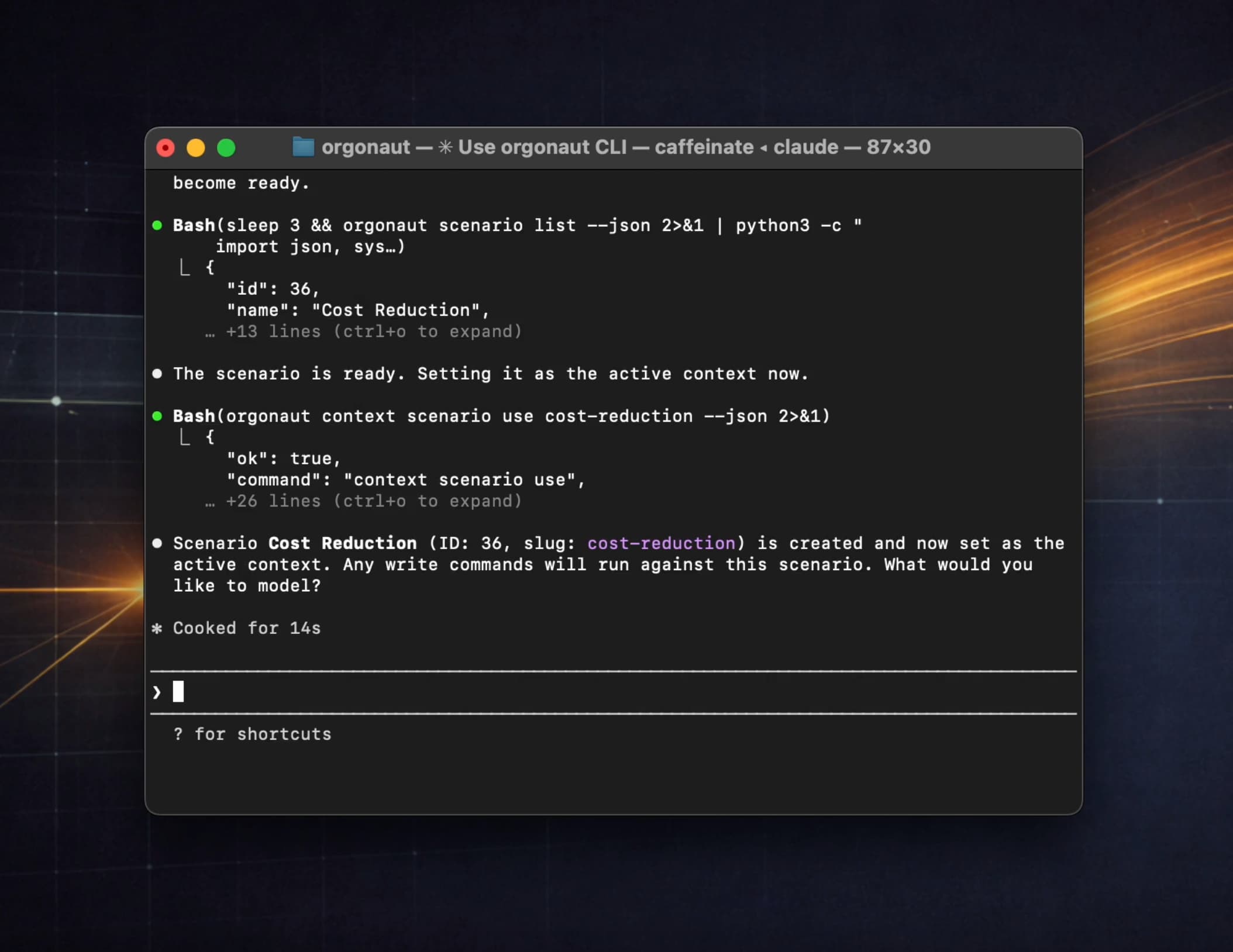
This is why scenarios are central to Orgonaut.
Live is the current organisational source of truth. A scenario is a sandboxed future state. The agent can model changes in the scenario, but promotion to Live remains a governed human decision.
Compare the scenario to the live baseline
Now Claude compares the scenario to the live baseline.
This is the useful bit.
Not just “make a change”, but explain the organisational delta:
- Headcount changed
- FTE changed
- Monthly cost changed
- Teams changed
- People changed
- Positions changed
- Compensation changed
- Allocations changed
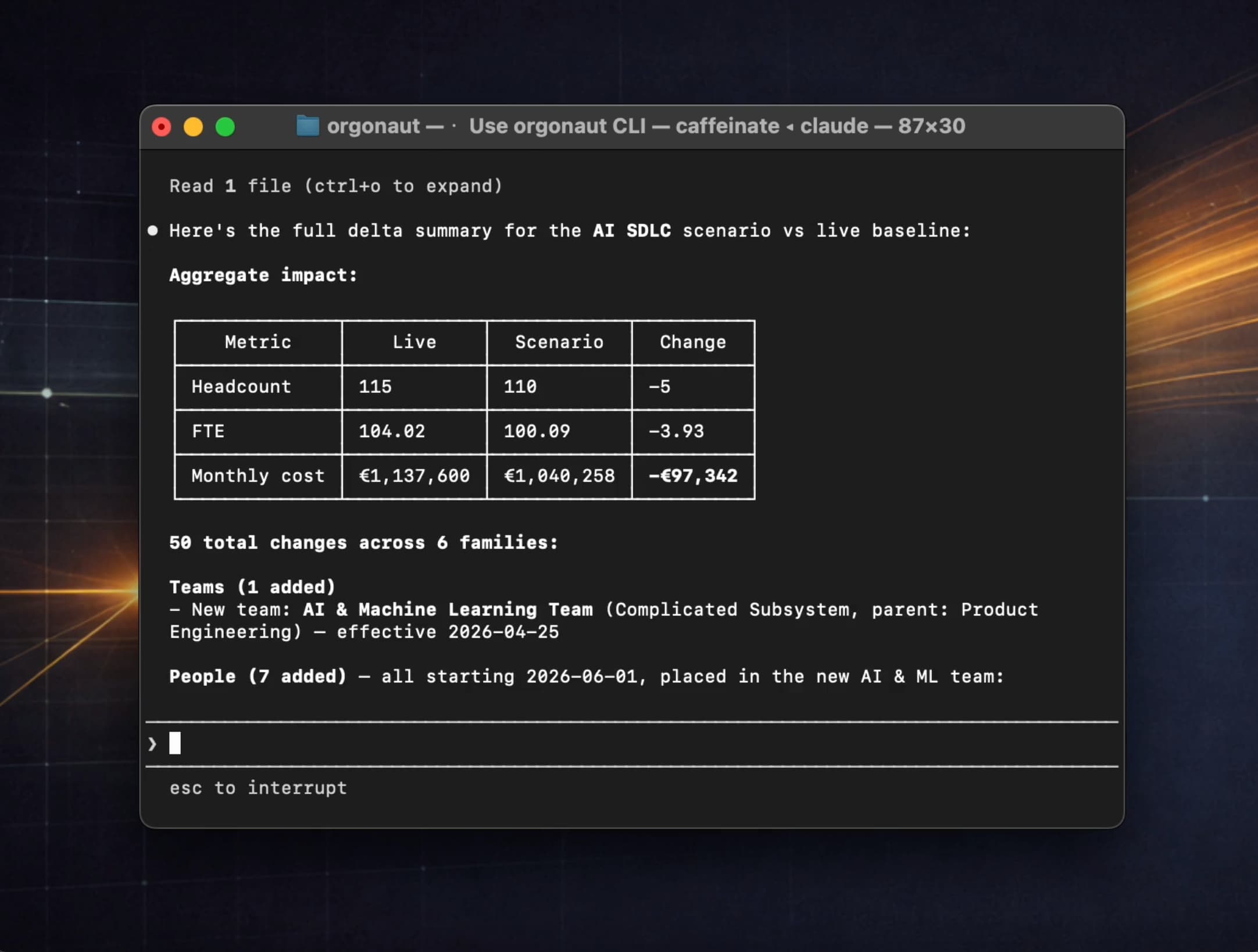
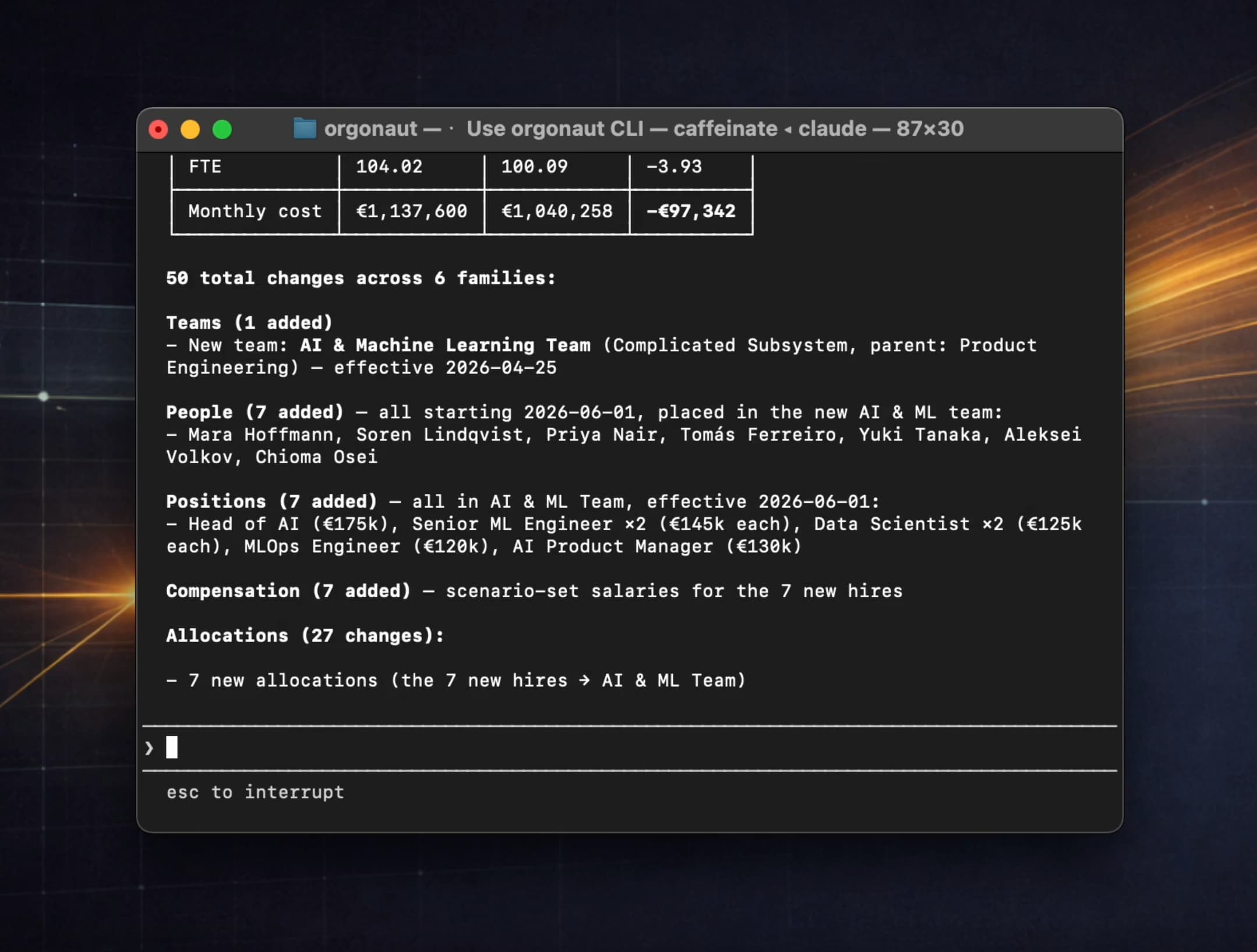
For organisational design, this is the artefact that matters.
A recommendation is not enough. Leadership needs to understand what changed, where the assumptions are, and what the trade-offs look like before anything moves into the live organisation.
The UI becomes the review and approval layer
This is the future of SaaS interaction.
Humans will not click through every screen to find every answer.
Agents will query systems of record, use CLI, API, and MCP tools, monitor change, spot risks, and propose improvements.
The UI becomes the review and approval layer.
That does not make the UI less important. It makes the UI more focused.
People need a place to inspect the model, compare options, challenge assumptions, understand the delta, and decide what should happen. Agents need tool surfaces that let them prepare that work without pretending to be a person clicking through a browser.
The app remains the system of record. The tools let agents operate around it.
What this unlocks for Orgonaut
For Orgonaut, this unlocks the real vision.
Agents that continuously monitor org structure, cost, capacity, roles, teams, and velocity.
Then proactively recommend better designs.
Not replacing leadership judgement.
Giving it much better instruments.
That is the product direction we care about.
Orgonaut is not another static org chart. It is an organisation model that humans and agents can both work with, through the right interface for the job.
The web app is where people review and decide.
The CLI, API, and MCP surfaces are how agents inspect, prepare, and explain.
The scenario workflow is the safety boundary between exploration and live organisational change.
That combination is what AI-native SaaS needs next.